Home / Products / Dust Collectors / Compact Bag Units / JetStream
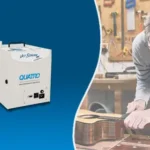
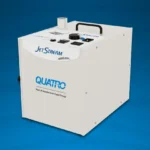
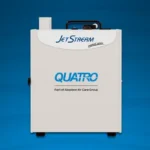
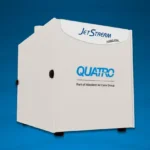
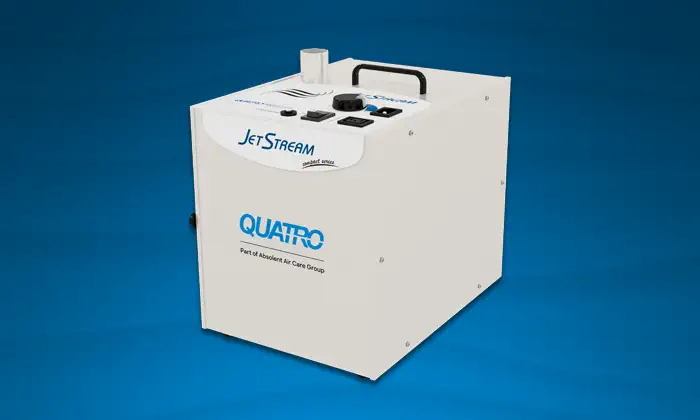
Featuring a compact, space-saving design with a 2-stage filtration system (antimicrobial bag filter and certified HEPA filter). Whisper-quiet performance.
The MedEVAC MiltiPure INFINITY is a multi-station dust extractor with allergy-free bag and optional monomer filter. Equipped with 2 powerful hybrid INFINITYmotors for medium-duty bench applications that includes a HEPA filter.
| Product Number | Pressure | CFM | Volts/Phase/Hz | Amps | Shipping Weight | Width | Height | Depth | Noise (dB) | Max Debris Capacity (in3) | Filter Sequence | Filter Efficiency |
|---|---|---|---|---|---|---|---|---|---|---|---|---|
| 1-0020-0711 (iSeries) |
90″ WC | 141 | 120/1/60 | 8 | 40 lbs (18 kg) |
11″ | 12″ | 14.25″ | 55dB(A) | 357 | • Yellow Bag AG113-5 • 1” HEPA Filter F191S |
• MERV 13 • MERV 17 |
| 1-0020-0701 (Analog) |
90″ WC | 141 | 120/1/60 | 8 | 40 lbs (18 kg) |
11″ | 12″ | 14.25″ | 55dB(A) | 357 | • Yellow Bag AG113-5 • 1” HEPA Filter F191S |
• MERV 13 • MERV 17 |
| 1-0020-0712 (iSeries) |
90″ WC | 141 | 120/1/60 | 8 | 40 lbs (18 kg) |
11″ | 12″ | 14.25″ | 55dB(A) | 357 | • White Bag AG143 • 1” HEPA Filter F191S |
• MERV 13 • MERV 17 |
| 1-0020-0702 (Analog) |
90″ WC | 141 | 120/1/60 | 8 | 40 lbs (18 kg) |
11″ | 12″ | 14.25″ | 55dB(A) | 357 | • White Bag AG143 • 1” HEPA Filter F191S |
• MERV 13 • MERV 17 |
Learn how to get the most out of your Quatro Air unit and troubleshoot common problems. You can also download the owner’s manual for this unit for technical details and instructions.
Congratulations! You are now owner of a Quatro JetStream dust collector; an efficient unit engineered to capture and contain airborne particulate generated by your application. As soon as the unit starts to operate, you will notice an improvement in air quality.
Keep all fastening hardware tight to ensure that the unit is in safe working condition. Familiarize yourself with the way in which filters are installed & replaced. All filters must be in place whenever this machine is in operation. Use only on a grounded electrical circuit; do not use any two-wire electrical prong adapters to defeat proper grounding. If servicing the unit, be careful not to touch the motor as soon as it has been turned off. It is hot and can cause injury. Do not substitute any of the unit’s filters with aftermarket products, as it will alter the design characteristics and possibly void the warranty.
IMPORTANT: Ensure power supply is unplugged during maintenance or filter service
WARNING: Do not operate unit until you’ve confirmed all filters have been installed
When you notice a significant drop in suction, or, if the unit is equipped with a digital control panel, when the Service filter light turns on, it is time to service the filters. Do not try to clean and reuse the filters as this will result in tear. If you need replacements, order new filters.
Suggested Solutions:
Suggested Solutions:
Suggested Solutions:
Quantity: Five (5) Replacement yellow bag filter for your Quatro Air unit
Quantity: Five (5) Replacement white bag filter for your Quatro Air unit.
Quantity: One (1) 1″ replacement HEPA filter for your Quatro Air unit.